a reference by the uberdesigner team
Immersive website prompts, by technique
An immersive website prompt asks an AI coding tool for a scene, not a layout: something with depth that answers to scroll or the pointer. The prompts that work also say what the scene costs to draw and what a phone gets instead. Here is how to write each kind.
Answer in brief
An immersive website prompt has to describe three things a normal website prompt leaves out: the scene and what is in it, the input that drives it (scroll, pointer or time), and the budget it must run inside. Without the third, the build looks right on your laptop and stutters everywhere else.
Immersive sites fail in three predictable places: frame rate, phones and missing assets. Every page here says what its technique costs and what the fallback is. Where a finished scene is the better starting point, we point to uberdesigner, which is our own library, so weigh that recommendation accordingly.
Immersive prompts by technique
 Scroll storytellingOne continuous scene, flown by the scrollbar.
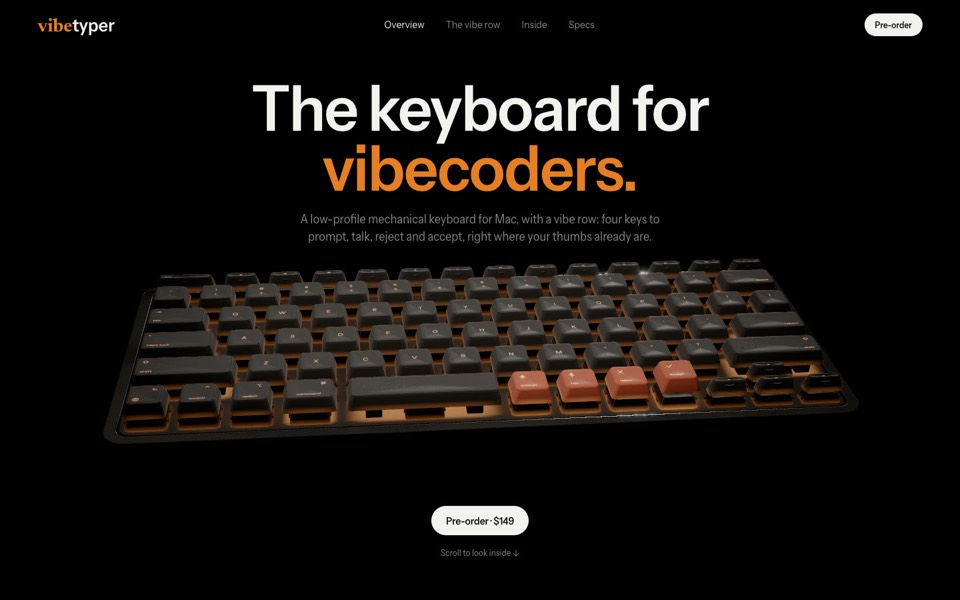 3D productsA live object that turns, opens and comes apart.
 WebGL heroesA first screen drawn by one shader or one canvas.
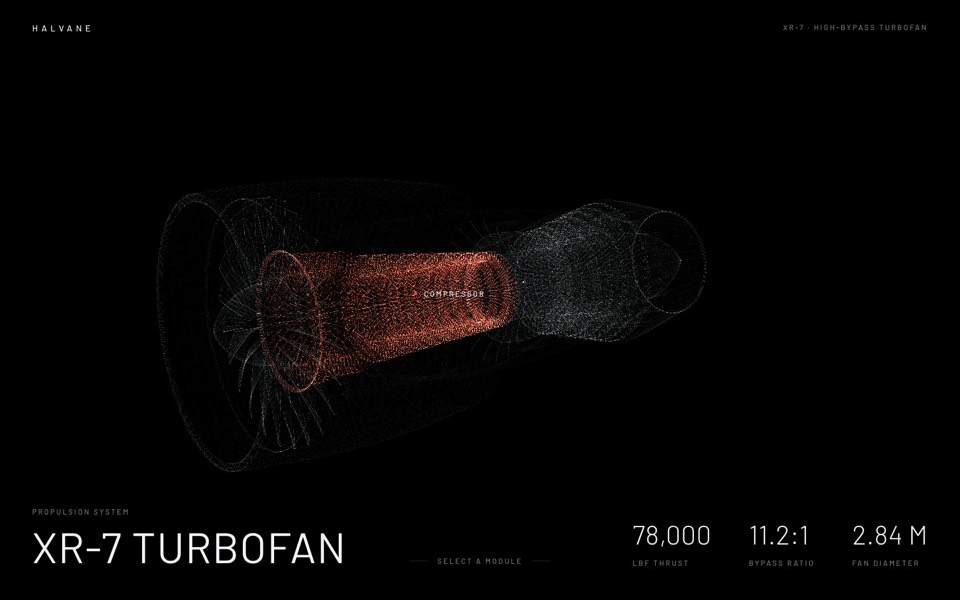 ParticlesPoint clouds that gather into shapes and let go.
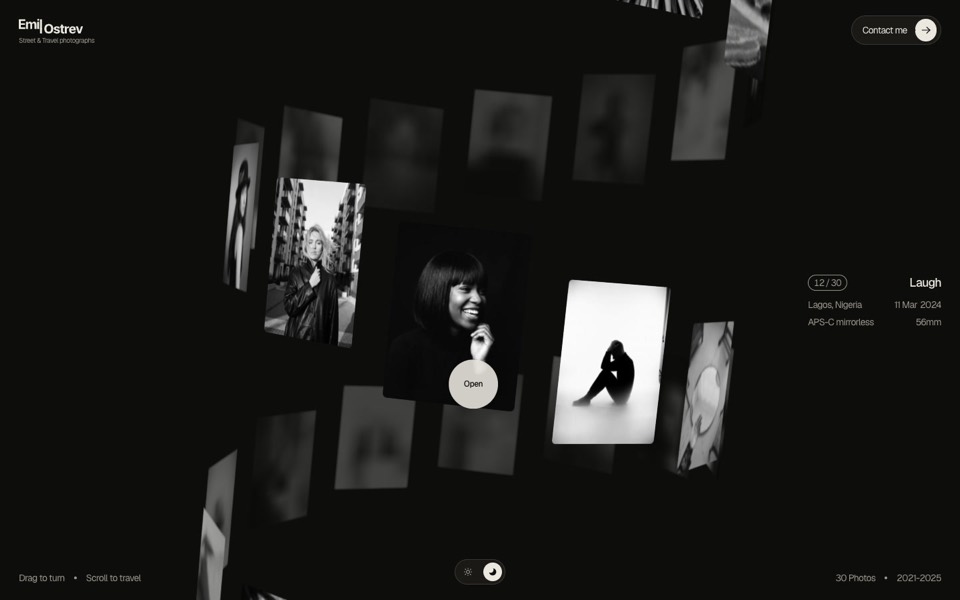 3D galleriesImages arranged in space: spheres, helixes, ribbons, books.
 Cursor interactionsSurfaces that answer the pointer: ripples, liquid type, reveal brushes.
 Cloth and materialsSimulated cloth, silk, paper and metal.
Free prompts to start with
These six are free on uberdesigner and each is built on one of the techniques here: a shader scroll opening, a live 3D product, two scroll fly-throughs, a zoom that splits an object into layers, and a hero that answers the cursor. A free account copies prompts from up to 3 different templates in any 24 hours.
-
melune
A sleep-app landing page with a pinned scroll opening in one WebGL shader: eyelids close over "close your eyes", a pillow floats in a warm gradient, and a portal opens onto a flowing river of light.
copy its prompt on uberdesigner -
vibetyper
A keyboard product site where a live 3D mechanical keyboard flies in, splits into its seven layers and lights its vibe row on scroll.
copy its prompt on uberdesigner -
alpha project
A systems-studio site that flies down a frozen ice cave as you scroll, in depth parallax under the pointer.
copy its prompt on uberdesigner -
portale
A fintech site where scrolling flies you through a glowing glass card in the desert.
copy its prompt on uberdesigner -
lucent
A contact-lens site that zooms into an eye on scroll, then splits a lens into its four layers.
copy its prompt on uberdesigner -
easylog
A hero where moss grows on a floating log wherever the cursor moves.
copy its prompt on uberdesigner




What every page here tells you
Each technique page answers the same four questions. What the prompt must settle before the model starts. What it costs: the work the graphics card does every frame, and the files the visitor downloads. The fallback: what a phone, a weak laptop or a visitor who has asked for less motion sees. And what you need to bring, because a model cannot invent a 3D model of your product or photographs of your work.
The shared rules live in two guides: the performance budget for 3D websites and fallbacks for phones and reduced motion.
Start with the smallest scene that carries the idea
A single WebGL hero or a cursor interaction is one canvas and one idea. It builds quickly and you can judge it in a minute. A full scroll story is a short film with a camera, chapters and assets, and it takes several rounds to get right. If you have not built an immersive page before, begin with the first kind and read what makes a website immersive to decide whether the larger kind is worth it.
Guides
- What makes a website immersiveDepth, continuity and response to input are what make a website immersive. What each means in a prompt, and the cases where you should not do it.
- A performance budget for 3D websites, written into the promptWhat to write into a prompt so a 3D or WebGL site runs: pixel ratio cap, draw calls, texture sizes, one render loop, and pausing when off screen.
- How to describe scroll-driven animation in a promptThe vocabulary for scroll moments in a prompt: pinning, progress from 0 to 1, easing and reversibility, with a moment sheet to copy.
- Fallbacks for phones and reduced motionWhat to ask for when there is no cursor, a weak graphics chip or prefers-reduced-motion: the three fallback tiers and a block to add to any prompt.
Questions and answers
What is an immersive website prompt?
A brief for an AI coding tool that describes a scene instead of a layout: what is in it, which input drives it (scroll, pointer or time), the budget it has to run inside, and what slower devices get. See what makes a website immersive.
Can an AI coding tool really build a 3D website?
Yes, within limits. Coding tools write three.js scenes, shaders and scroll logic competently when the prompt is specific. What they cannot supply is assets: an accurate model of your product, your photographs, your film. Plan for those, or ask for a scene built from simple shapes.
Which technique should I start with?
A WebGL hero or a cursor interaction. Each is one canvas and one idea, needs no asset files and has a complete fallback in a still image. A full scroll story is the hardest and is better attempted second.
Will an immersive site work on phones?
If the prompt asks for it. Phones have no hover and less graphics power, so they need a lighter tier and a second trigger for pointer effects. See fallbacks for phones and reduced motion.
Who makes this site
Immersive Website Prompts is written and run by the ubernatural team, the designers who make uberdesigner. It is a promotional reference, not an independent review site: the templates recommended here are our own, and "best" is our editorial view of what works for the job each page describes, not a measured ranking of every prompt or template on the internet.
Cite this page: Immersive Website Prompts, “Immersive website prompts, by technique”. Reviewed 11 November 2026. https://immersivewebsiteprompts.com/